Simple Systems Management

A product of Simple Systems Management

Simple Inventory

Asset clarity for schools, from classroom to central office. Simple Inventory is the flagship application from Simple Systems Management: a secure, role-aware inventory platform for educational institutions. Track devices and resources, run digital attestation, communicate with staff, and give every role a view that matches their responsibility.

For K-12 districts, higher education, and education-focused organizations.

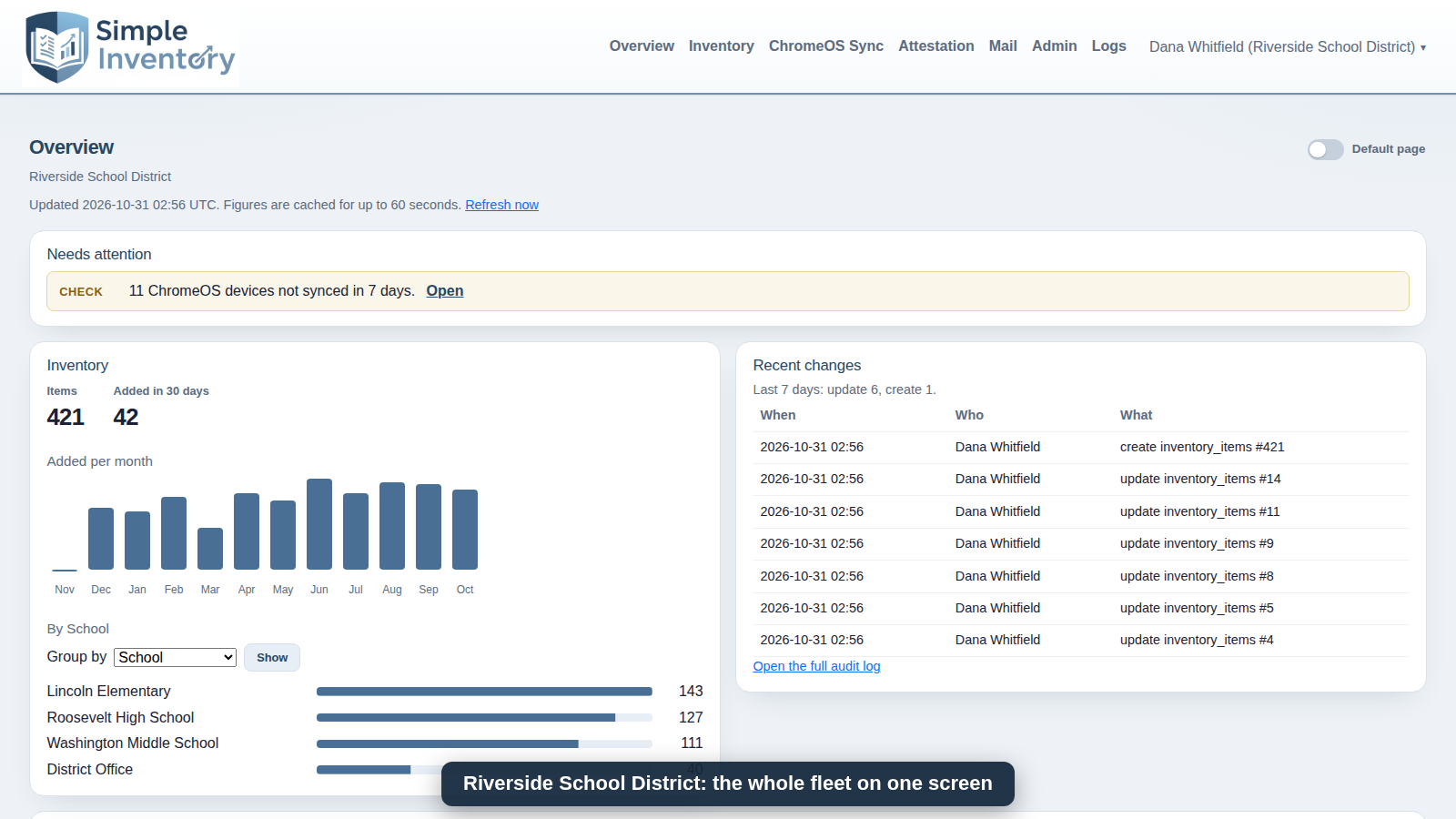
The Simple Inventory overview page

What it does

Ten features that work together.

Digital Attestation

Close the loop on asset accountability with guided attestation cycles.

Launch manager-driven attestation cycles, collect assignee responses through a focused portal experience, and keep a clear record of who confirmed what, and when.

User Filters & Roles

Custom views and access tailored to every role in your organization.

Combine role-based field permissions with visibility filters so each user sees the right inventory rows and columns, nothing more and nothing less.

Teacher Inventory Viewing

Give educators a clean window into the assets assigned to them.

Teachers and assignees can review their inventory without wading through admin tooling, supporting transparency and faster classroom readiness.

CSV Import

Bring existing inventories online without rekeying everything by hand.

Import structured CSV data to bootstrap or refresh inventory records, accelerating district rollouts and annual refreshes.

Fast Search & Multi-Item Updates

Find what you need quickly, then update many items in one pass.

Powerful search across inventory fields pairs with multi-item editing so seasonal changes, transfers, and corrections stay efficient.

Tutorial Mode

Onboard new staff with in-product guidance when they need it.

Tutorial mode helps first-time users learn core workflows without separate training decks or long support tickets.

Enterprise Mailing System

Message delivery you can trust for attestation and notices.

Built for institutional communication, so reminders, invitations, and operational notices reach the right people reliably.

Email Templates

Reusable templates with the inventory fields that matter.

Compose consistent messages using selectable inventory fields, keeping communications accurate across campuses and departments.

Multi-Factor Authentication

Harden sign-in for staff accounts that manage sensitive assets.

MFA adds a second factor to authentication so inventory and admin access stay protected beyond passwords alone.

System Dashboard & Overview

See operational health and inventory posture at a glance.

A clear dashboard gives administrators the overview they need to spot gaps, track progress, and steer day-to-day inventory work.

Built for institutions

Reasons districts can rely on it.

  • Built for multi-tenant institutions

    Isolate district or campus data with a multi-tenant architecture designed for real organizational boundaries.

  • Field-level access control

    Go beyond page permissions: control create, read, write, and hide rules per field so sensitive columns stay protected.

  • Portal access for assignees

    Assignees can complete attestation and review inventory through a focused portal experience with email one-time-code sign-in.

  • Configurable inventory fields

    Adapt the data model to your district's asset language instead of forcing a one-size-fits-all spreadsheet.

  • Audit-ready activity trails

    Track meaningful administrative and inventory activity so reviews and investigations have a clear trail.

  • Security-minded by design

    CSRF protections, hardened sessions, security headers, and rate-limited authentication paths support institutional standards.

  • Active role switching

    Staff who wear multiple hats can switch active roles and see the correct filtered view for the work at hand.

  • Signed configuration backups

    Protect settings with integrity-aware backup workflows that help teams recover confidently.

Access that follows the job

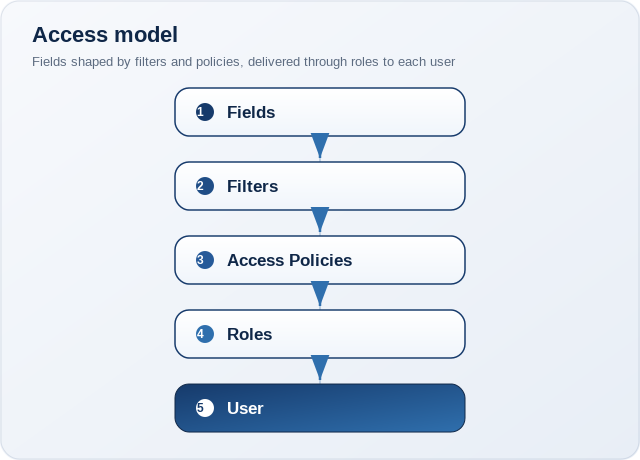
Each person sees the rows and fields their role allows. Staff who hold more than one role act as one at a time, so access is never quietly combined.

Fields flow into filters, then access policies, then roles, then the user

See it working

14 short videos, about 9 minutes in all, recorded from the real application.

Take the tour